Video review platform
for education

Instructors create assignments, students submit videos, instructors give timestamped feedback with drawing annotations. Students revise and resubmit. Self-hosted, no external dependencies.

ReVideo does one thing: structured video feedback for courses. No project management, no team features, no dashboards.

I've worked in TV production and taught video courses at universities. I needed a simple tool for the assignment–submission–feedback loop. Everything else felt like too much.

1

Instructor creates assignment

Define the task, set expectations. Students see it in their dashboard.

2

Student uploads video

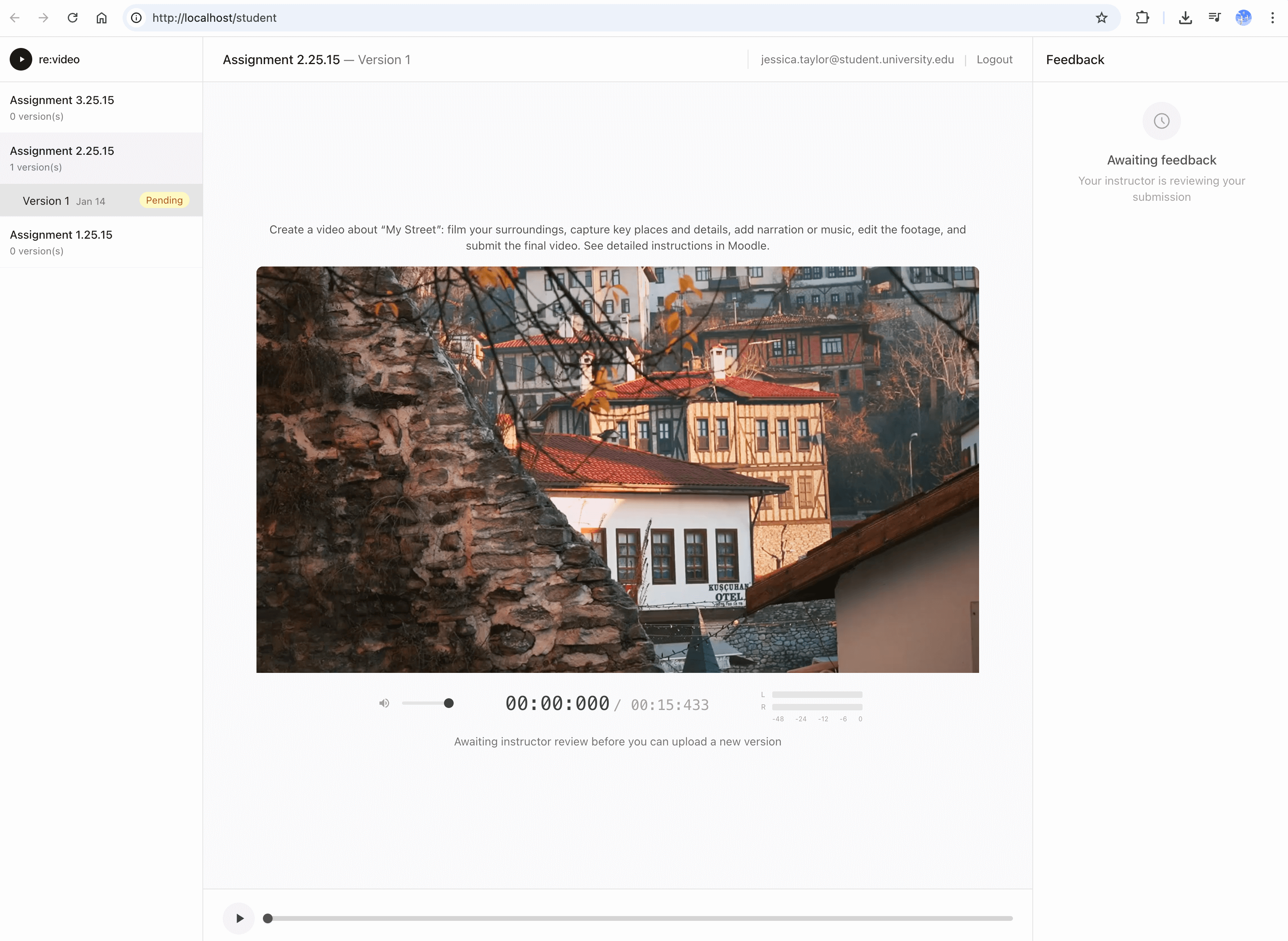
Submit work for review. Video is transcoded to HLS for smooth playback.

3

Instructor reviews

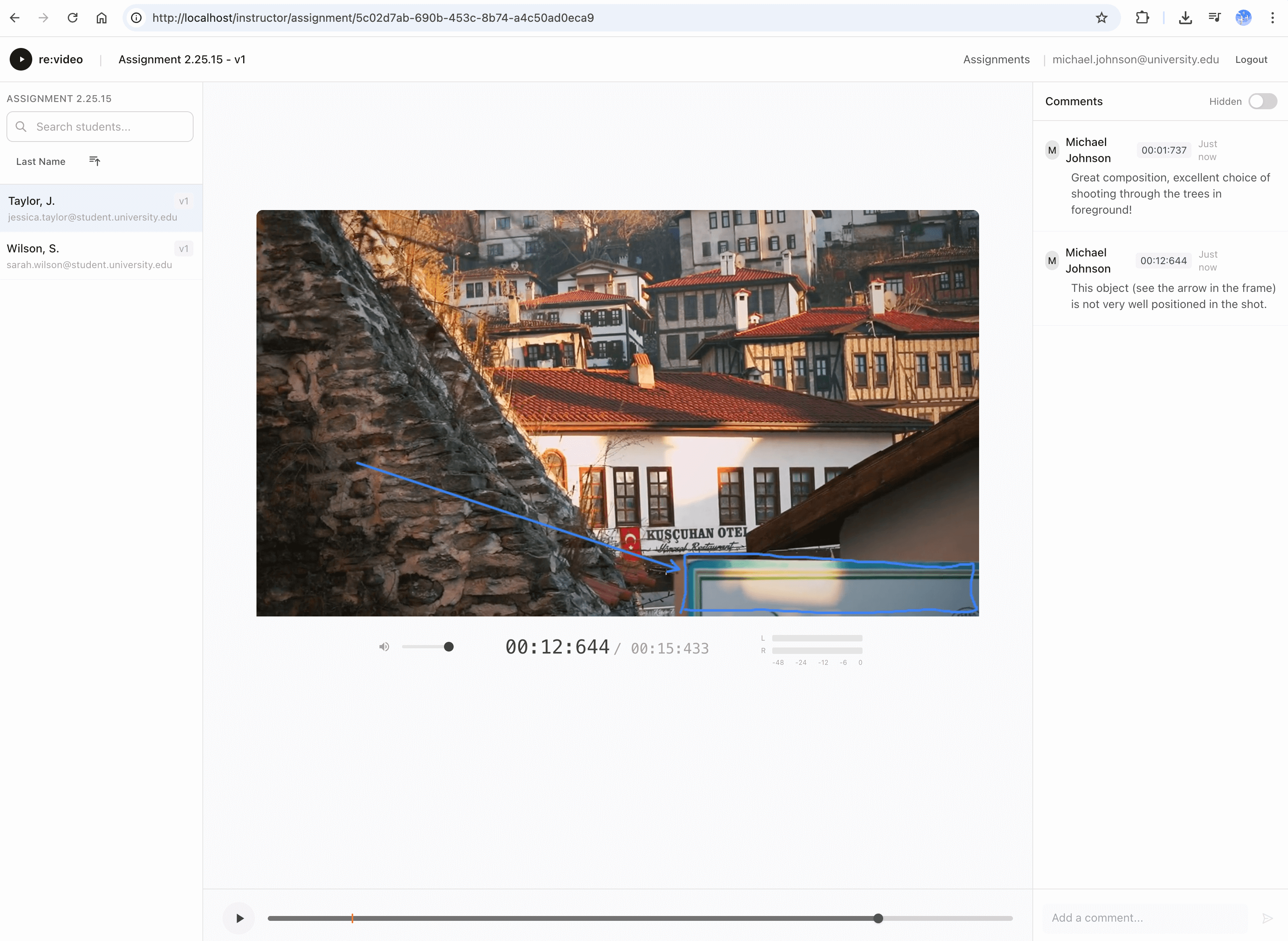
Add timestamped comments. Draw on frames. Mark as reviewed.

4

Student sees feedback

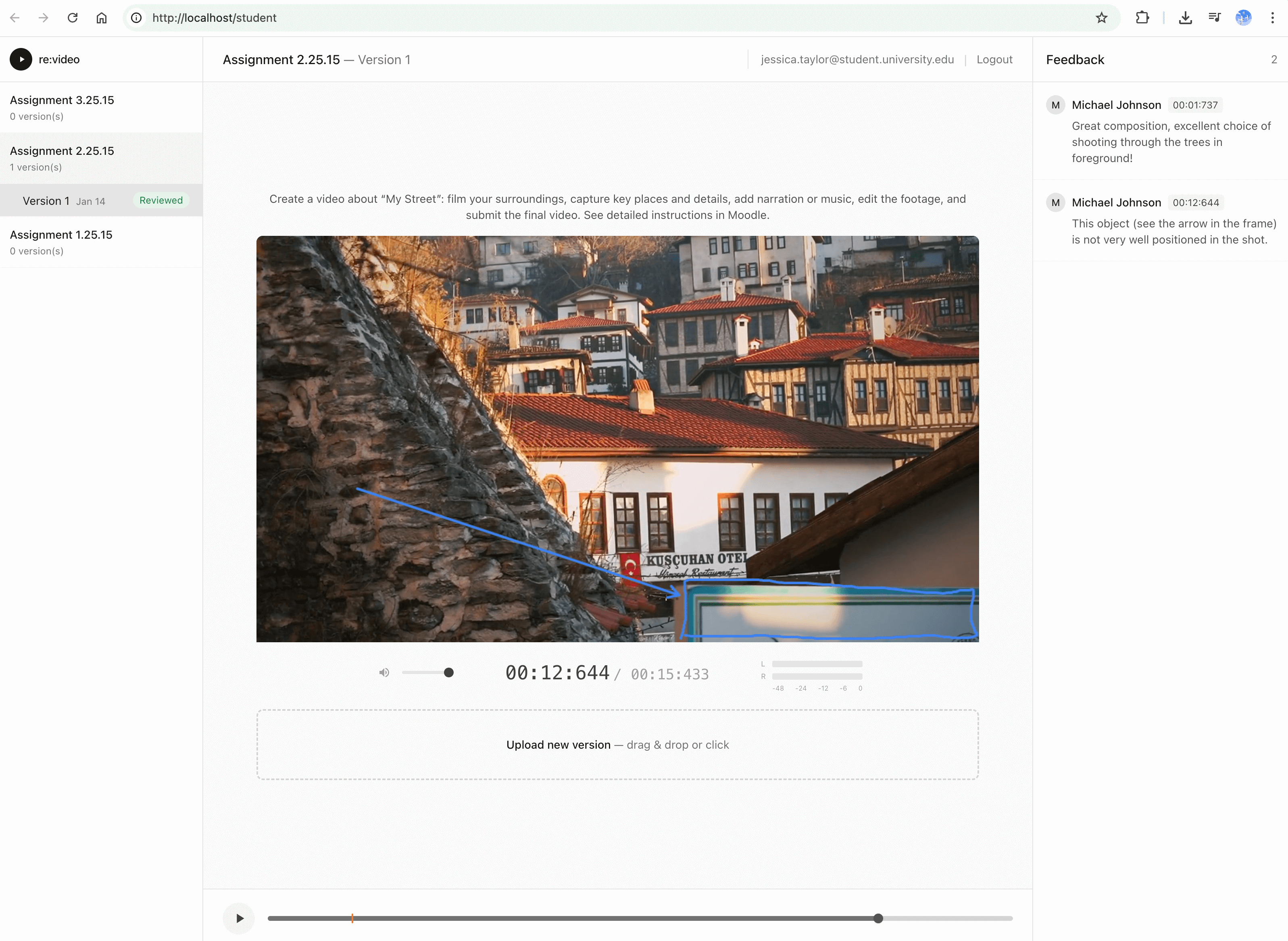
Click markers on timeline, see annotations overlaid on video.

5

Iterate

Student uploads new version. Instructor reviews again. Repeat until done.

6

Complete

Full revision history preserved. All feedback accessible.

Timestamped comments

Click anywhere on timeline to leave a note. Millisecond precision.

Drawing annotations

Freehand brush, arrows, multiple colors. Drawings saved with comments.

HLS streaming

Videos transcoded for instant seeking. No buffering, smooth playback.

Visual timeline

Orange markers show where comments are. Click to jump.

Version history

Students can upload new versions. Previous submissions preserved.

Mobile-friendly

Students can view feedback on any device. Responsive interface.

Activity logging

Track all actions: views, comments, uploads. Full audit trail.

Magic link auth

No passwords for users. Secure email-based authentication.

Backend

  • Java 21, Spring Boot 3.x
  • PostgreSQL, Flyway migrations
  • Spring Security, JWT
  • FFmpeg, HLS transcoding
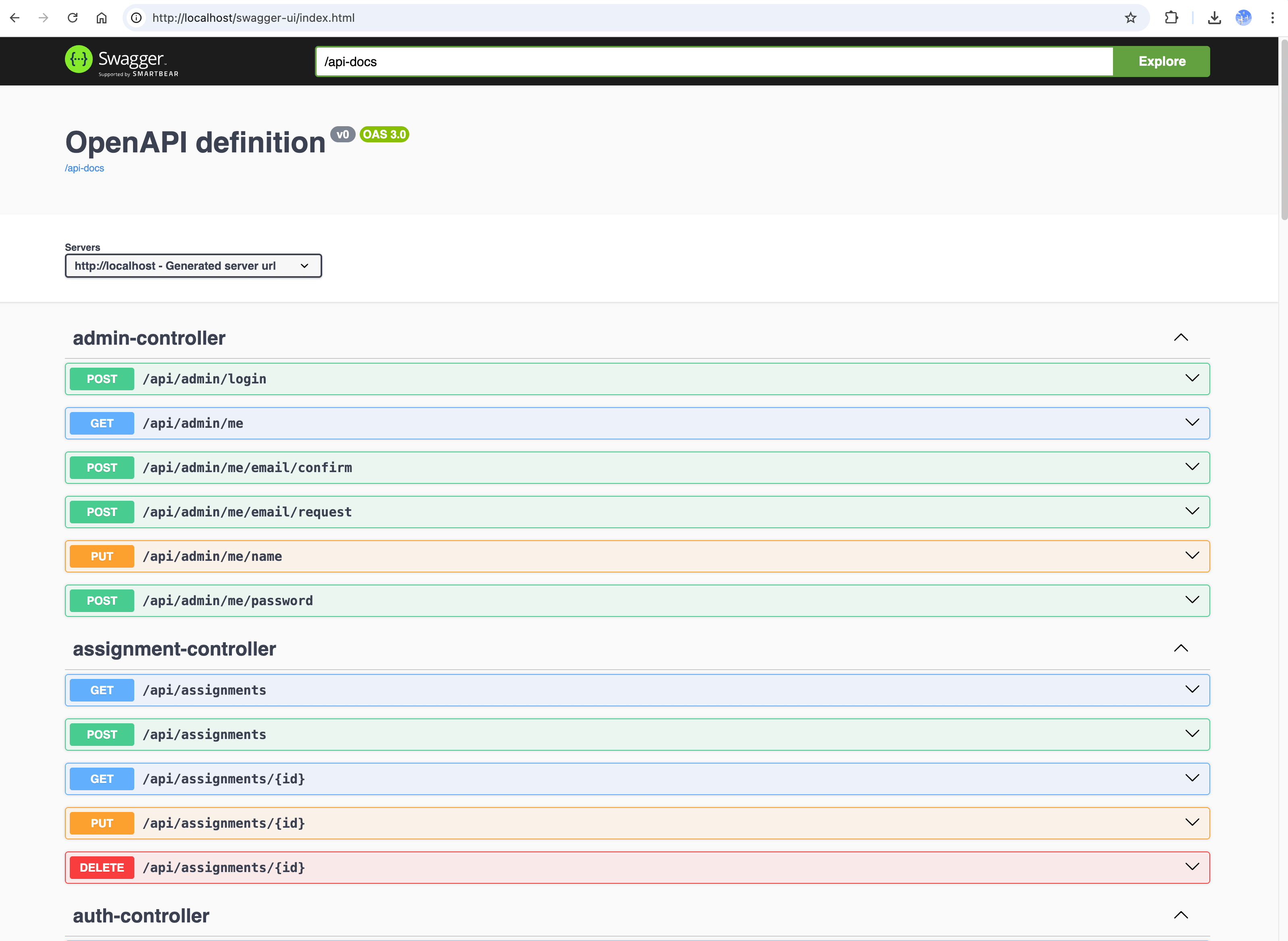
  • AWS S3 / local storage
  • HMAC-SHA256 signed URLs

Frontend

  • Vue 3, Composition API
  • TypeScript
  • HLS.js streaming
  • Canvas drawing tools
  • Tailwind CSS
  • Vite

Infrastructure

  • Docker containerization
  • Single-container deployment
  • SMTP email (Mailpit for dev)
  • Role-based access control
  • Rate limiting
  • Nginx reverse proxy

Domain Model

Admin Instructor Student Assignment Project (submission) Comment (text + drawing) Event Log all actions logged creates creates submits for has writes
System admin
Instructor
Student
Audit
Screenshot 1 Screenshot 2 Screenshot 3 Screenshot 4 Screenshot 5 Screenshot 6 Screenshot 7

Demo video: pexels.com, by Abdullatif Mirza

Run locally with Docker

Single container with everything included. Works on Intel and ARM.

docker pull ghcr.io/kalba-lab/revideo:latest

1. Setup

  1. Run container: docker run -d -p 80:80 -p 8025:8025 -v revideo_data:/data --name revideo ghcr.io/kalba-lab/revideo:latest
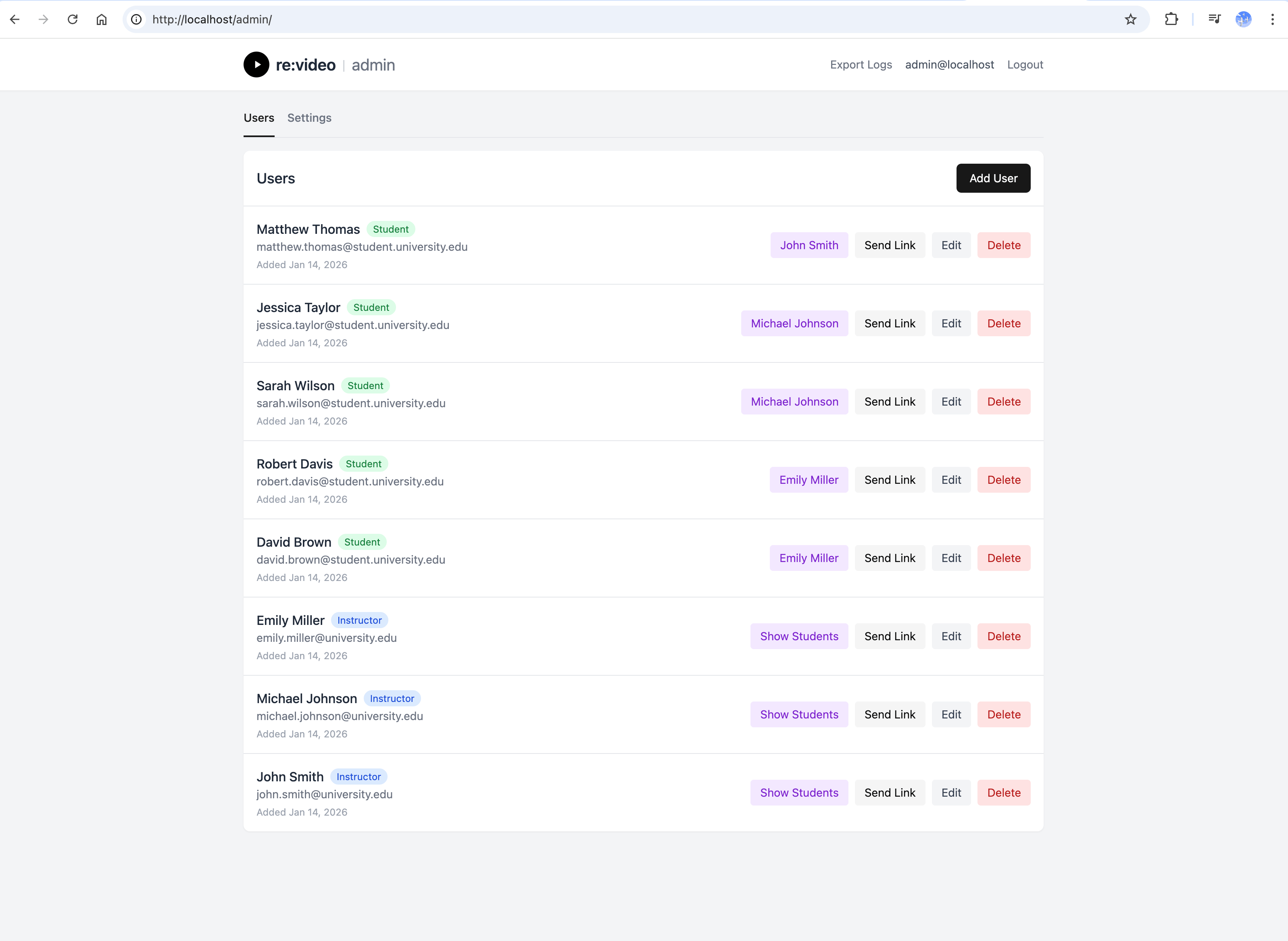
  2. Open admin panel at http://localhost/admin/
  3. Login with default credentials (admin@localhost / admin123)

2. Create users

  1. In admin: Users → Add Instructor
  2. In admin: Users → Add Student (assign to instructor)
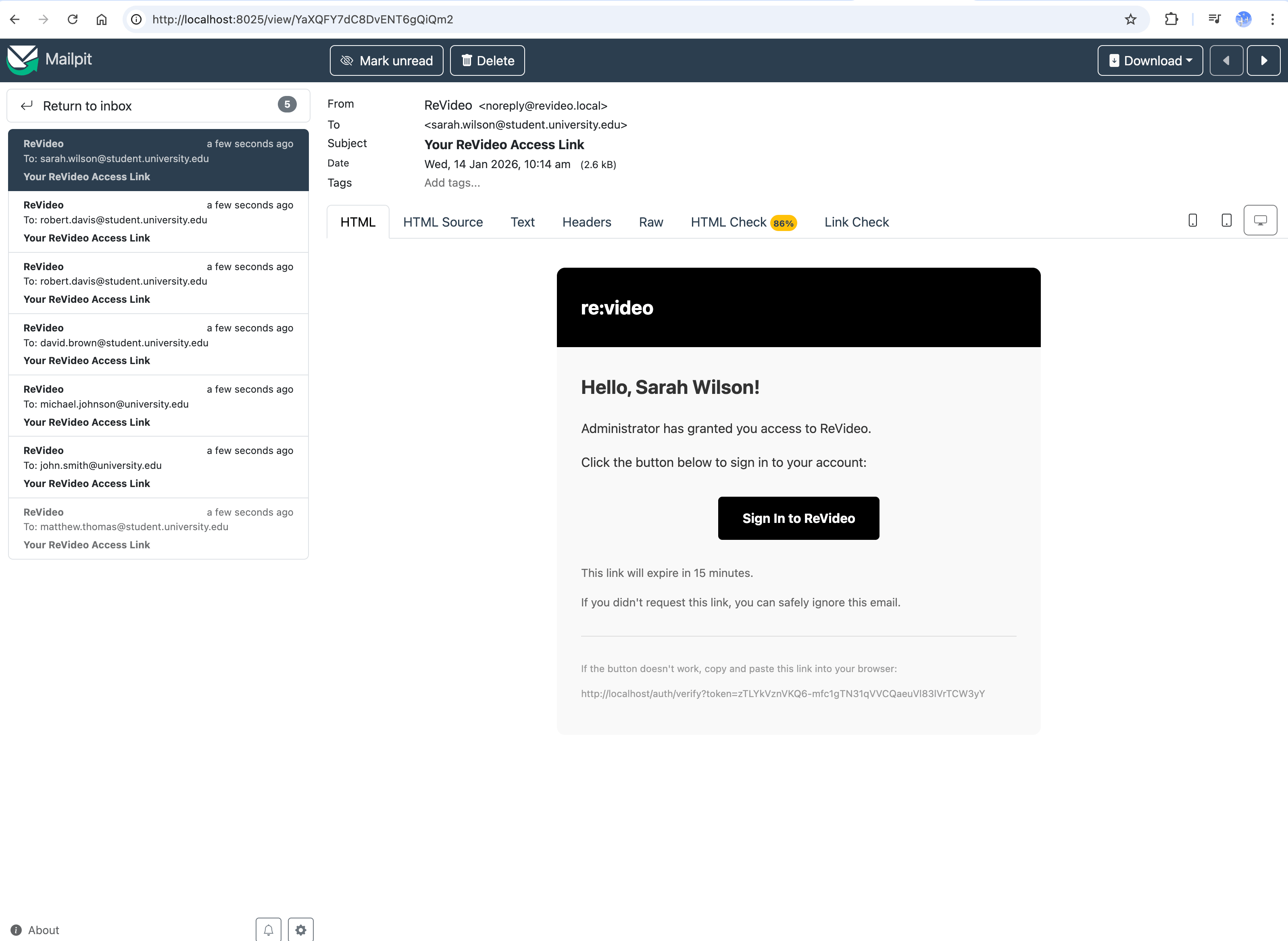
  3. Both receive magic links via email (check Mailpit)

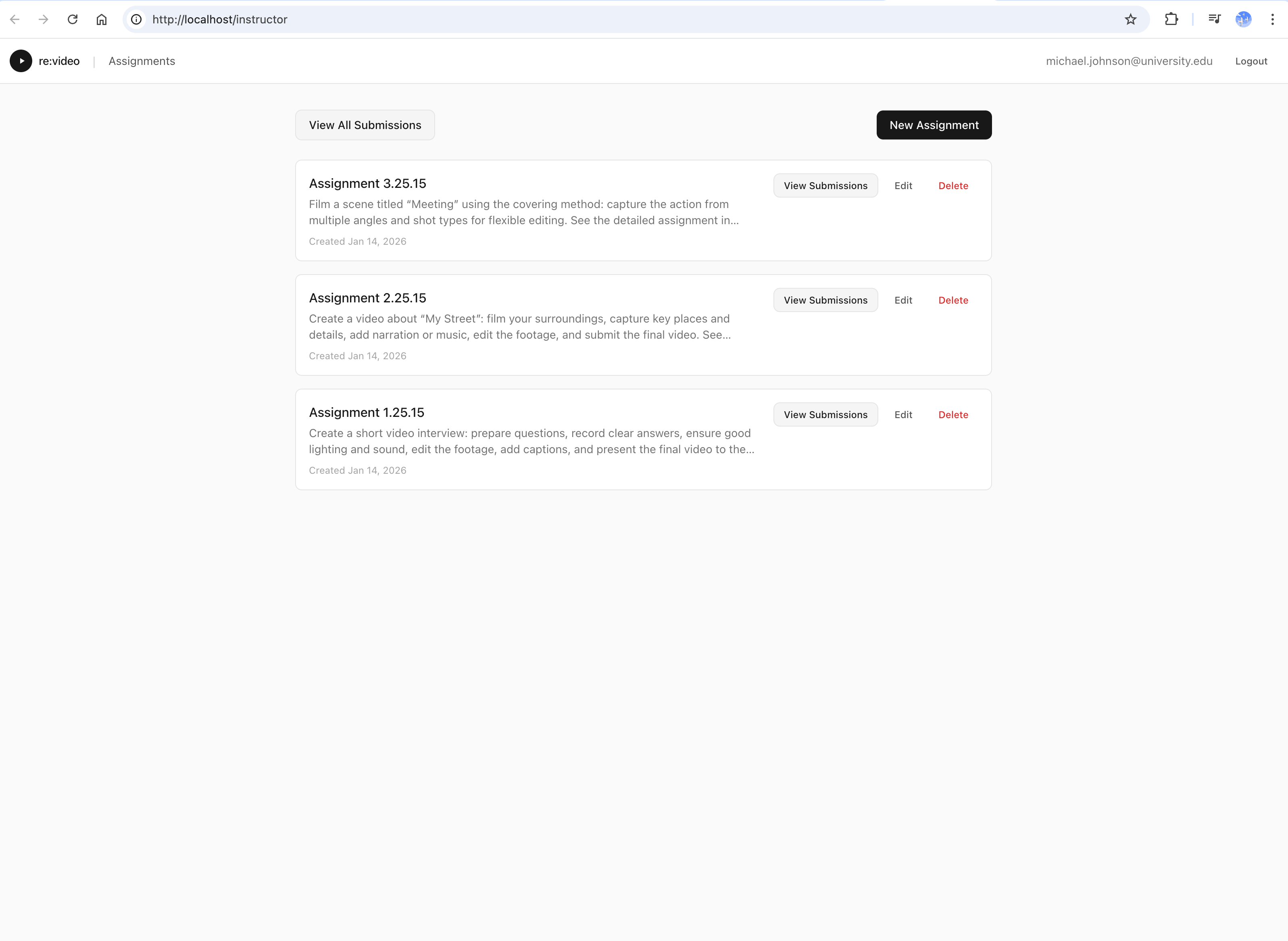
3. Instructor workflow

  1. Login at http://localhost/ with magic link
  2. Create assignment with title and description
  3. Wait for student submissions
  4. Review: add timestamped comments, draw annotations
  5. Mark as reviewed

4. Student workflow

  1. Login at http://localhost/ with magic link
  2. See assignments from instructor
  3. Upload video submission
  4. View instructor feedback
  5. Upload revised version if needed

Film & video courses

Student films, documentaries, editing exercises, cinematography assignments.

Journalism programs

News packages, interviews, standups, broadcast journalism training.

Performance arts

Dance, theater, music recordings, technique feedback.

For inquiries: hello@revideo.cc